
The Wholesale Customer Management System I Wish I’d Had From Day One
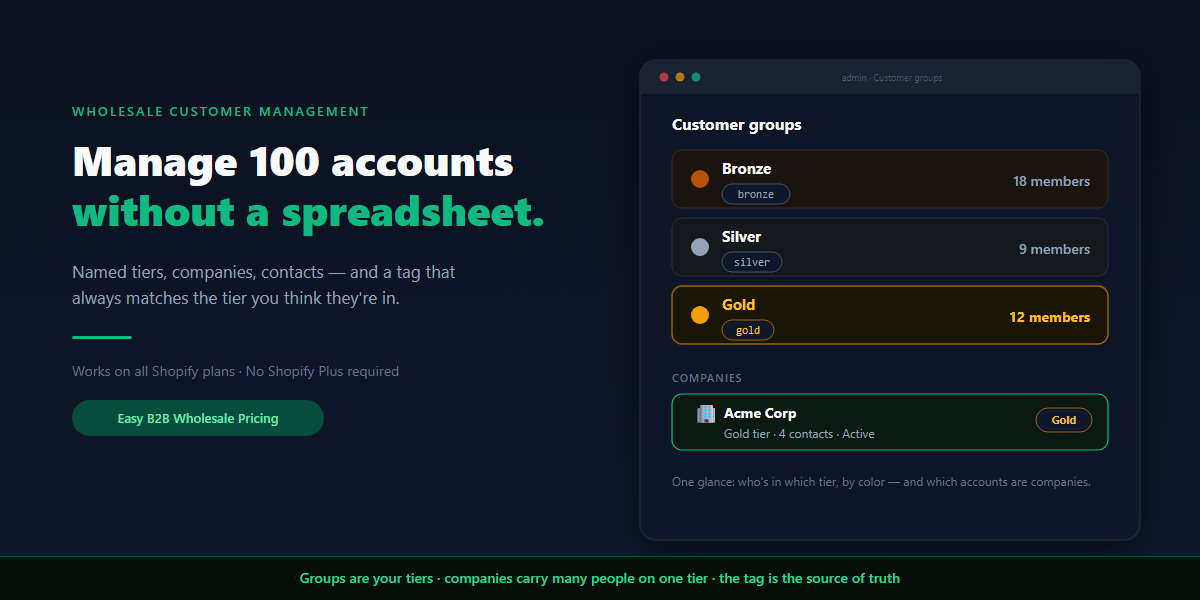
Pricing gets all the attention in B2B. But the thing that actually breaks first, as a wholesale business grows, isn’t the prices — it’s keeping track of who’s who. Five accounts you hold in your head. Twenty you keep in a spreadsheet. A hundred, and the spreadsheet is lying to you: this column says a customer is Gold, their Shopify tag says Silver, and you can’t remember which is right.
Shopify wholesale customer management is the system that keeps that from happening — organizing every B2B buyer into a tier, knowing how each one got there, and being sure the price they see matches the tier you think they’re in. This isn’t about pricing rules (that’s a separate guide); it’s about the layer underneath: how you structure, assign, and maintain the customers those rules act on.
This is a complete guide to that structure: why a tag is the atom of the whole system, how groups turn tags into named tiers, when a buyer is really a company with several people, the three ways a customer lands in a tier, how to design the ladder, and — honestly — where the automation ends and your judgment begins.
Tags are the foundation — but a tag alone isn’t management
Everything in Shopify wholesale customer management rests on one primitive: the customer tag. A tag is a free-text label on a customer record — wholesale, gold, distributor — and it’s what every pricing rule, segment, and automation ultimately reads.
But a bare tag is just a sticky note. On its own it has no name you’d recognize in a report, no color, no list of who’s in it, and nothing stopping gold, Gold, and gold (trailing space) from becoming three different tribes. Manage by raw tags and you’re back to the spreadsheet, just with worse handwriting.
The job of a management system is to wrap that primitive in structure: give the tag a human name, a color, a membership you can see, and one canonical spelling. That wrapper is a group.
Groups: turning tags into named tiers
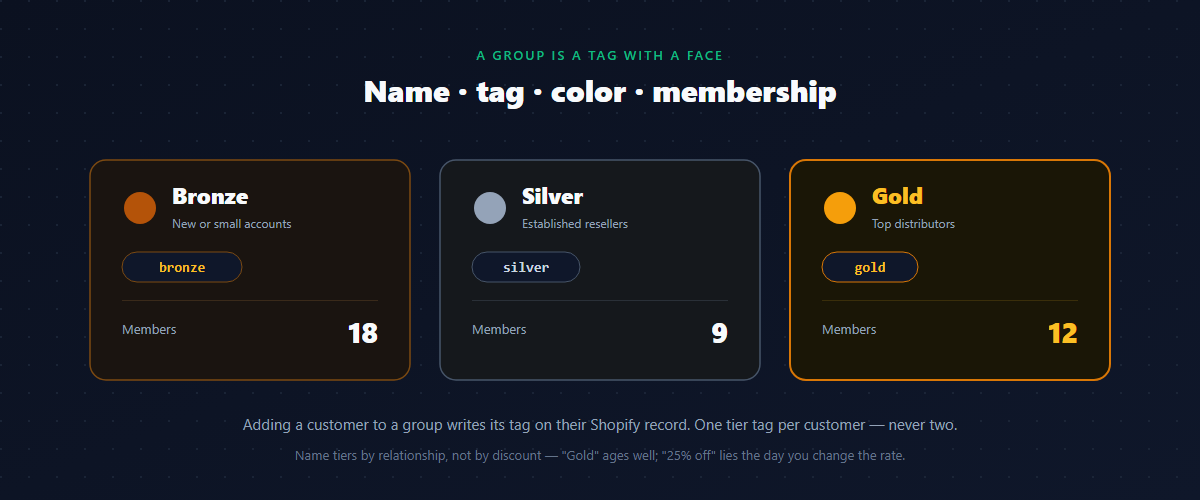
A group is a tag with a face. In practice each group carries four things:
- A name you actually use — “Gold,” not
gold. - A single tag it maps to — the label written onto every member’s Shopify record.
- A color, so you can read a customer’s tier at a glance.
- A membership — the list of customers currently in it.
That’s the unit you manage. Define three or four groups and you have your tier ladder:
| Group | Tag | Color | Who’s in it |
|---|---|---|---|
| Bronze | bronze | bronze | New or small wholesale accounts |
| Silver | silver | silver | Established resellers |
| Gold | gold | gold | Top distributors, highest volume |
Adding a customer to the Gold group writes the gold tag onto their Shopify record; removing them takes it off. You manage people in named tiers; the tags take care of themselves underneath. The key discipline — and it’s the one that keeps the whole system honest — is one tier tag per customer. A buyer is Bronze or Silver or Gold, never two at once, or your pricing has to guess which one wins.
When a buyer isn’t a person — it’s a company
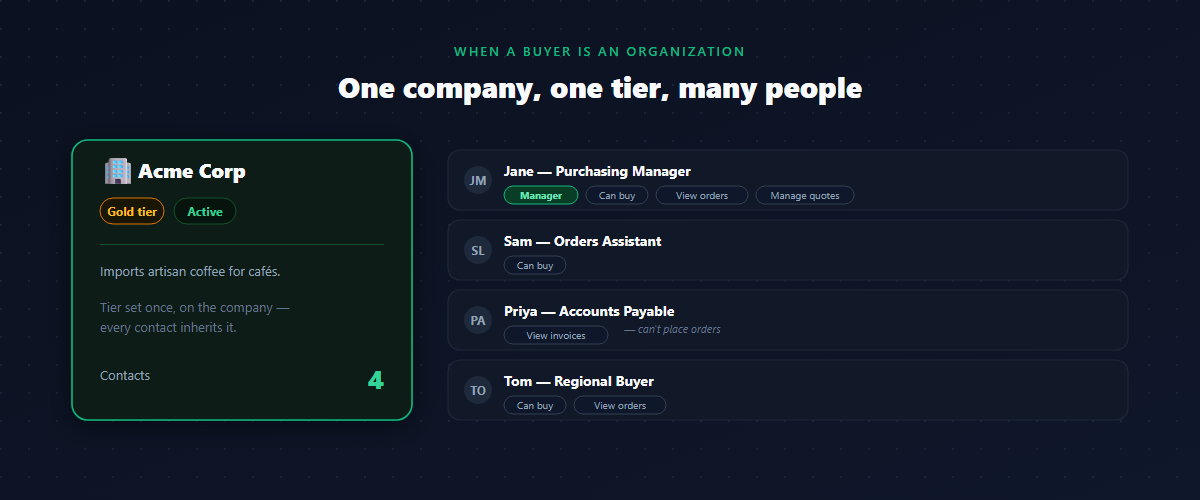
Here’s the wrinkle that spreadsheets handle worst: a single wholesale “customer” is often an organization with several people buying under it. A distributor might have a purchasing manager, an assistant who places the orders, and an accounts-payable contact who never logs in but needs to see invoices. Tag them as three separate Gold customers and you’ve fragmented one account into three rows that don’t know about each other.
A company is the structure that fixes this. It represents the organization itself — name, contact details, address, an active/inactive status — and it holds two things that matter for management:
- One tier for the whole organization. The company is assigned a group (say, Gold), and every person under it inherits that tier. You set the distributor’s rate once, on the company, not on each buyer.
- A list of contacts — the actual people who can act on the company’s behalf.
So the mental model has two levels: groups are your tiers, and companies are the accounts that sit in a tier and carry multiple people. A small reseller with one buyer can just be a customer in a group; a real distributor with a team becomes a company. Both end up in the same tier system.
Roles inside a company
Not everyone at a company should be able to do everything. The accounts-payable contact shouldn’t place orders; the assistant placing orders maybe shouldn’t see company-wide invoices. So each contact on a company carries a small set of permissions:
- Can buy — place orders on the company’s behalf.
- View company orders — see what everyone at the company has ordered, not just their own.
- Manage quotes — request and negotiate quotes for the company.
- View company invoices — see the company’s billing.
- Manager — the lead contact, typically with the broadest access.
This is what separates managing companies from managing a pile of individual customers. You’re not just pricing an organization; you’re modeling who inside it is allowed to do what. For a one-person reseller none of this gets in the way — there’s one contact who can do everything. It’s there for the accounts where it matters.
The three ways a customer lands in a tier
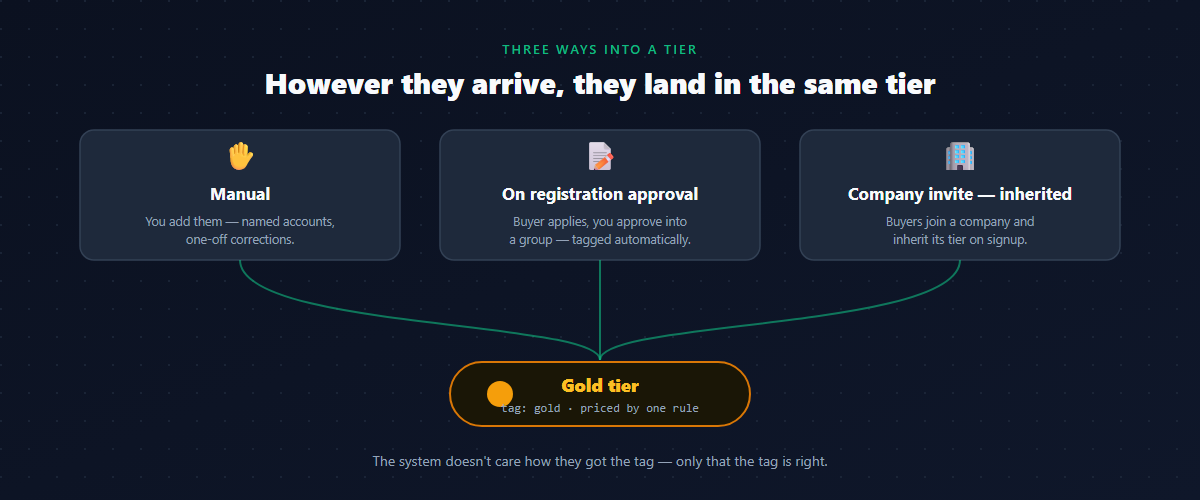
A tier system is only as good as how reliably customers get into the right tier. There are three routes, and a healthy store uses all three for different situations.
1. Manual assignment. You open a group and add a customer, or open a customer and pick their group. The tag is written, the tier applies. This is right for your named accounts — the dozen relationships you manage personally — and for one-off corrections.
2. Automatically, on registration approval. When a B2B buyer applies through a wholesale registration form and you approve them, they’re created and dropped straight into the group you pick — tagged and priced without a manual step. This is how you onboard inbound signups at scale instead of hand-building each record.
3. By company invite — inherited. You invite buyers to register against a specific company. When they sign up, they’re linked to that company automatically and inherit its tier. Invite four buyers from a Gold distributor and all four see Gold prices the moment they log in — you never assign any of them individually.
The point of having all three is that the tier is the constant. However a customer arrives — picked by hand, approved from a form, or invited into a company — they end up in the same named group, priced by the same rule. The management system doesn’t care how they got the tag; it only cares that the tag is right.
Designing your tier ladder
The structure is only useful if the ladder itself is sensible. A few principles that survive contact with real accounts:
Start with three tiers, plus retail. Bronze, Silver, Gold covers almost every B2B store’s needs at the start. Retail is the absence of a tier — the public, with no tag. Resist inventing ten micro-tiers; you’ll spend more time deciding which tier an account belongs to than the precision is worth.
Name tiers by relationship, not by discount. “Gold” ages well; “25% off” doesn’t — the day you change the rate, the name lies. Tiers describe who a customer is to you; the pricing rule decides what that’s worth, and the two should be free to change independently.
Decide what puts someone in each tier before you fill them. New accounts start Bronze. Established resellers are Silver. Your top dozen, by volume or relationship, are Gold. Write the rule for promotion down — even loosely — so the ladder means something and isn’t just where you happened to drop each account.
Add a fourth tier (a “Diamond” or a named-distributor group) only when real accounts cluster in a way your three tiers genuinely can’t express — not before.
Promotion, demotion, and the honest line on automation
Accounts move. A Silver reseller has a great year and earns Gold; a Bronze account that never reorders quietly drops off. Handling that movement is where you should be clear-eyed about what’s automated and what isn’t — because overpromising here is how merchants get burned.
Here’s the honest division of labor:
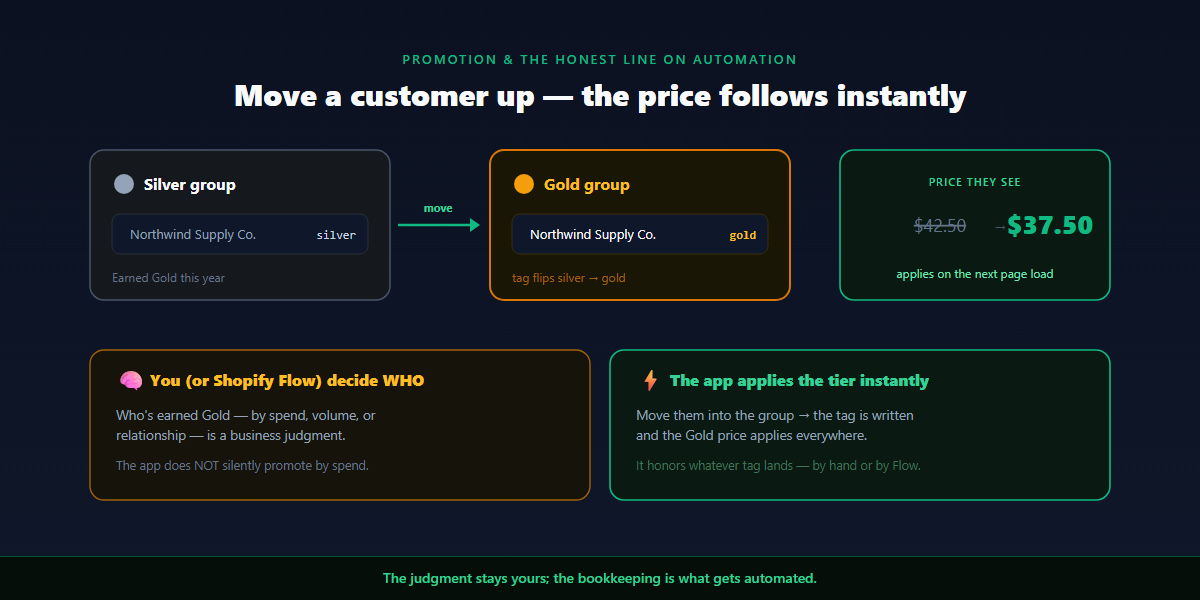
- Deciding who belongs in a tier is your call. Whether an account has earned Gold — by lifetime spend, by order volume, by relationship — is a business judgment. The customer-management system doesn’t watch spend and silently promote people; that would be guessing at your strategy.
- Applying the tier is instant once you decide. The moment you move a customer into the Gold group, the
goldtag is written and their Gold price applies — on the product page, the cart, and checkout. No re-pricing pass, no waiting.
If you want spend-based promotion automated, the clean way is Shopify’s own automation (Shopify Flow) writing the tier tag when a customer crosses a threshold — and the management system simply honors whatever tag lands. You keep one source of truth for the rule; the system keeps the pricing in sync. What you should not trust is any tool that claims to know your promotion strategy for you. The judgment stays yours; the bookkeeping is what gets automated.
Keeping it clean at scale
A tier system rots in predictable ways. Guard against each:
- One canonical spelling per tag. Lowercase, no spaces, no variants.
gold— neverGoldorgold. A typo’d tag is a customer silently in no tier at all. - One tier per customer. If an account drifts into two tier groups, your pricing has to break the tie. Promote by moving, not by adding a second tag.
- Use company-level tiers for organizations. Don’t tag four people from one distributor individually; put them under the company and let them inherit. One place to change the rate, four people kept in sync.
- Mark dormant accounts inactive, don’t delete them. A company you’ve gone quiet with shouldn’t clutter your active list — but its history is worth keeping. An active/inactive status beats deletion.
- Reconcile occasionally. Once in a while, check that the tier you think an account is in matches the tag on their Shopify record. Most “their price is wrong” tickets trace back to a customer who isn’t carrying the tag you assumed.
A worked example
A homewares and apparel brand sells direct-to-consumer and to about 60 stockists, with roughly 60% of revenue from wholesale. Early on, all 60 lived in a spreadsheet, and the Shopify tags drifted out of sync with it within months.
Reorganized around groups and companies:
- Three tiers — Bronze (new, 10% off), Silver (established, 15%), Gold (top dozen, 25%) — each a named group with its own tag and color.
- Solo resellers are customers placed directly in a group. The handful of multi-buyer distributors are set up as companies, each assigned one tier, with their buyers added as contacts.
- One Gold distributor has four buyers; they were invited against the company and all inherited Gold automatically. Their accounts-payable contact can view invoices but can’t place orders.
- New stockists arrive through the registration form and are approved straight into Bronze. A few that grew were promoted to Silver by hand the quarter they crossed the owner’s mental threshold.
The spreadsheet is gone. A glance at the groups shows who’s in which tier, by color; a glance at a company shows its people and what each can do. When a price looks wrong, the first and usually only check is “what tag is on this customer?” — and the answer is finally trustworthy.
Common mistakes with wholesale customer management
- Managing by raw tags. Tags without names, colors, and membership are a spreadsheet in disguise. Wrap them in groups.
- Inconsistent tag spelling.
Goldvsgoldvsgoldare three tiers. Pick one convention and never deviate. - Two tier tags on one customer. Promote by moving between groups, not by stacking tags, or your pricing has to guess.
- Tagging a company’s people individually. Fragments one account into many. Use a company with a single inherited tier.
- Expecting the system to promote by spend on its own. Deciding who’s Gold is your strategy; automate it with Shopify Flow if you want, but don’t assume a pricing tool is doing it silently.
- Deleting dormant accounts. You lose the history. Mark them inactive instead.
How to manage wholesale customers on Shopify without Plus
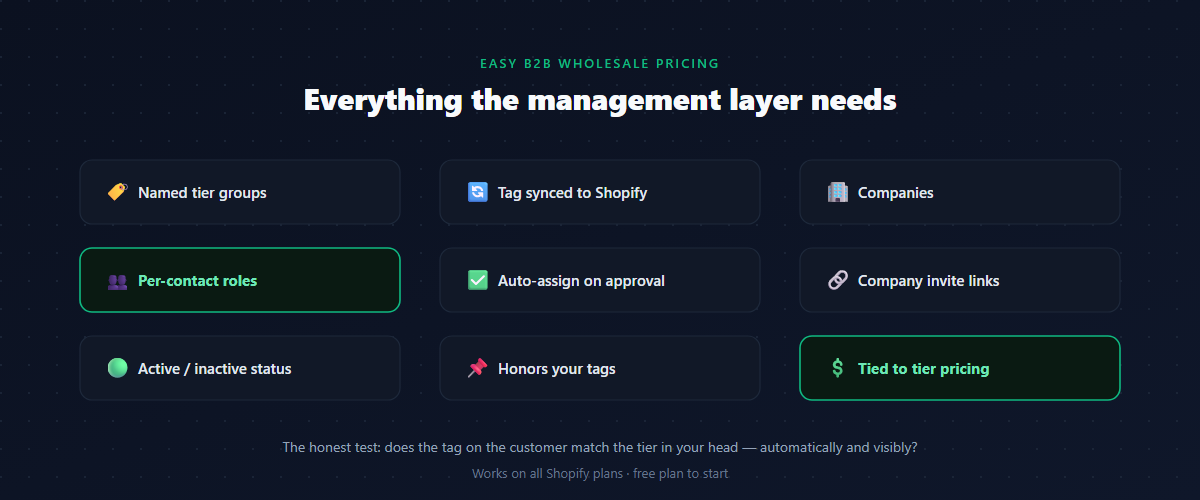
Shopify’s native B2B companies are powerful but sit within the Plus-tier B2B feature set. On Basic, Shopify, and Advanced plans, a wholesale app adds the management layer directly. When choosing one, look for an app that:
- Wraps customer tags in named groups — name, tag, color, and visible membership — so you manage tiers, not raw labels.
- Lets you assign a customer to a group by hand and have the tag synced to Shopify automatically.
- Supports companies — an organization with one inherited tier and multiple contacts.
- Models per-contact roles (can buy, view company orders, manage quotes, view invoices, manager) within a company.
- Auto-assigns the tier on registration approval, so inbound signups land in the right group without manual work.
- Supports company invite links so a distributor’s buyers inherit the company tier on signup.
- Lets you mark companies active/inactive instead of deleting them.
- Honors the tag as the source of truth, so promotion done by hand or by Shopify Flow flows straight into pricing.
- Connects the tier directly to customer-group pricing, so a managed customer is a priced customer.
The honest test of any of these: does it make the tag on the customer match the tier in your head — automatically and visibly? That’s the entire job.
FAQ
What’s the difference between customer management and customer group pricing?
Pricing decides what a tier pays; management decides who’s in the tier and keeps that accurate. Pricing rules read tags; the management system is how those tags get assigned, organized, and maintained at scale.
Do I need Shopify Plus to manage wholesale customers in tiers?
No. Native B2B companies are a Plus feature, but a wholesale app adds named groups, companies with contacts, and auto-assignment on registration on Basic, Shopify, and Advanced plans.
How many wholesale tiers should I create?
Start with three — Bronze, Silver, Gold — plus retail (no tag). Add a fourth only when real accounts cluster in a way three tiers can’t express. More tiers mean more time spent deciding where each account goes.
Can customers be promoted between tiers automatically by how much they spend?
Deciding who’s earned a tier is your business judgment, not something a pricing tool should guess. If you want it automated, Shopify Flow can write the tier tag when a customer crosses a spend threshold, and the management system honors that tag. Applying the tier once you’ve decided is instant.
How do I manage a wholesale customer that has several buyers?
Set them up as a company with one tier, and add each buyer as a contact. They inherit the company’s tier, and you control what each contact can do — place orders, view company orders, manage quotes, or view invoices.
Why does a customer see the wrong wholesale price?
Almost always a tag mismatch: the customer isn’t carrying the exact tier tag your rule targets, or they’re in two tier groups at once. Reconcile the tag on their record against the tier you intend.
If you want to manage wholesale customers in tiers without a spreadsheet — named Bronze/Silver/Gold groups with colors and visible membership, companies with multiple contacts on one inherited tier, per-contact roles, auto-assignment on registration, and a tag that always matches the tier — Easy B2B Wholesale Pricing gives you the whole management layer and ties it straight to tier pricing, on a free plan you can test before you commit.
Built for B2B sellers
Stop Losing B2B Buyers to Friction.
Wholesale buyers don’t want to browse like retail shoppers — they want their price, their net terms, and the same cart they ordered last month. Give them all of it, on the Shopify storefront you already have.